
Step 1: Logging in
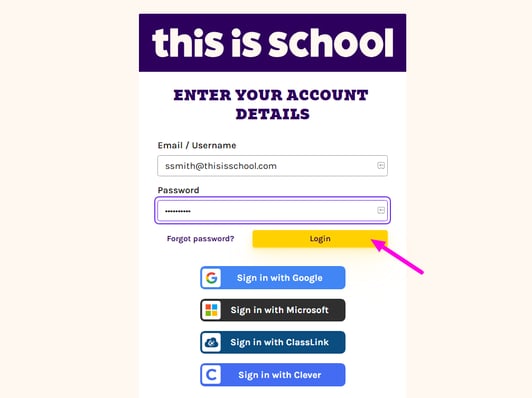
Go to my.thisisschool.com/login. Enter the login details contained in your welcome email and click Login.
Step 2: Changing Subject
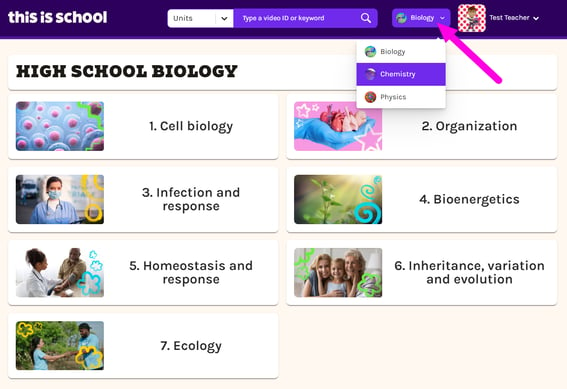
Your reviewer account gives you access to all of our Biology, Chemistry and Physics resources. You can switch between subjects at any time using the subject selector dropdown at the top of the screen.
The system will remember your preference next time you log in.
Step 3: Finding a Lesson
All of the resources on This is School are aligned to the Oklahoma Academic Standards. Lessons are organized by Topic and Unit, to make it easy for teachers to find what they need.
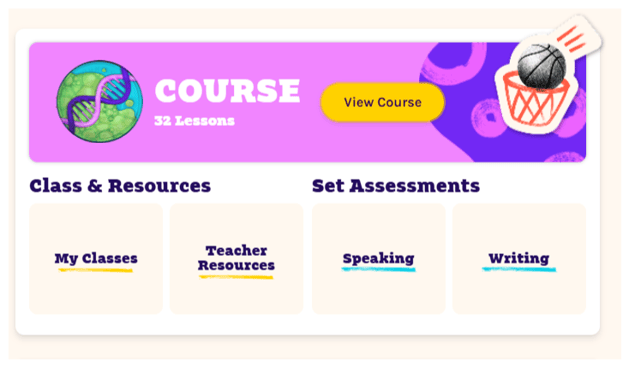
Once you've logged in and chosen your subject, click the yellow View Course button on your homepage to find lesson resources.
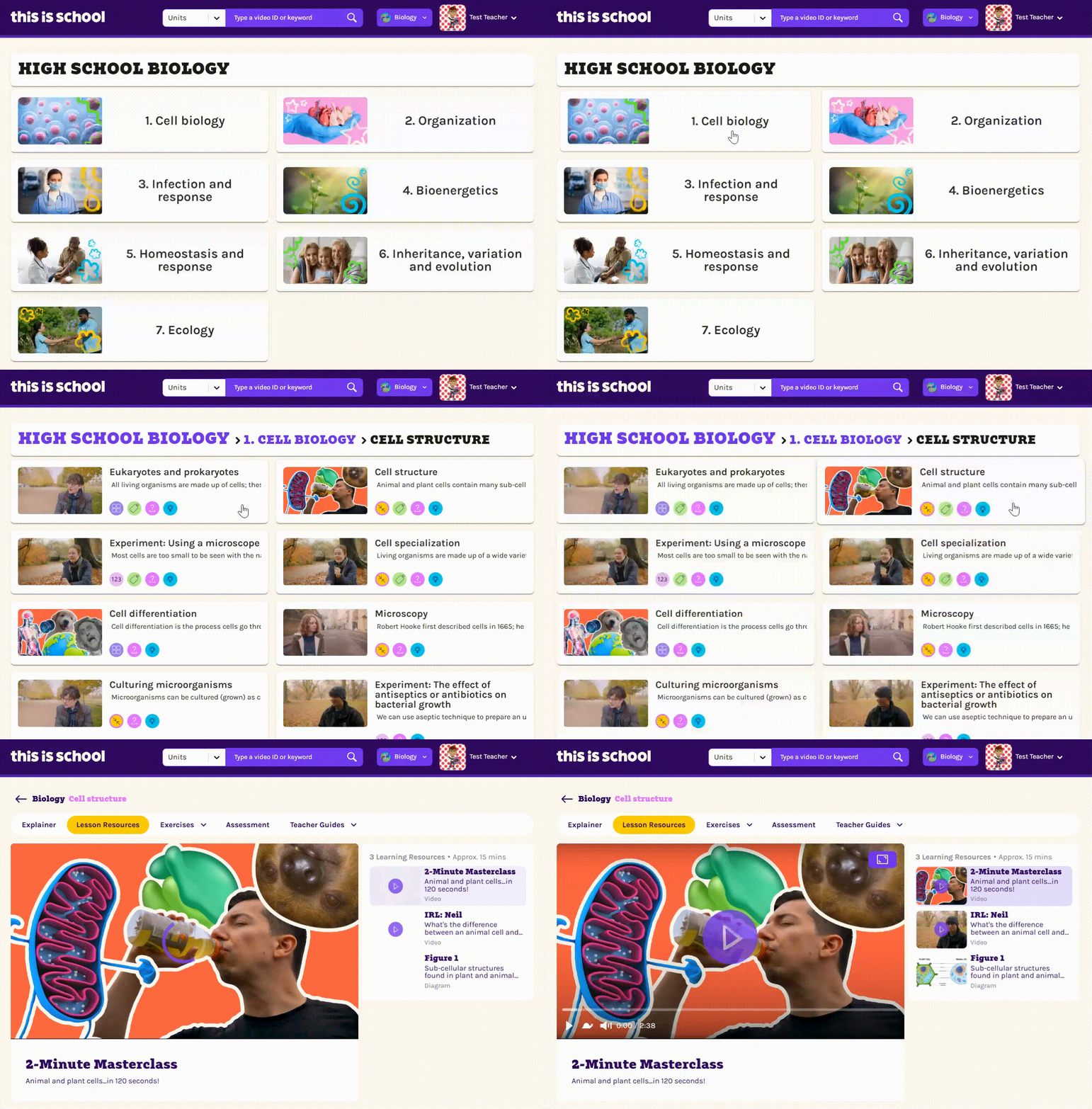
Simply click through the Topics and Units, until you find the Lesson you're looking for!
Step 4: Lesson Resources
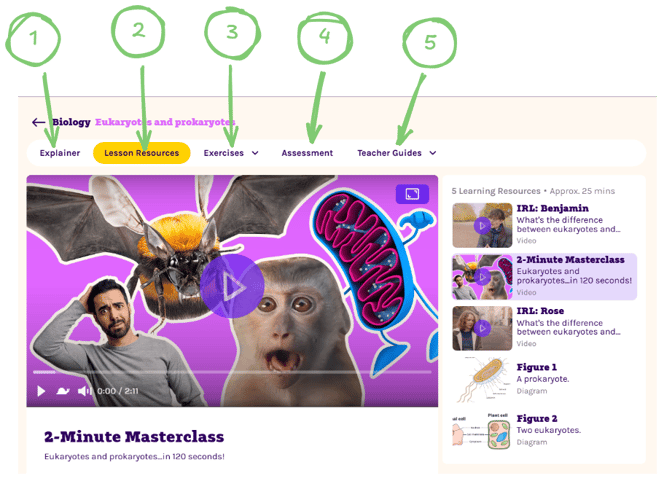
Every Lesson on This is School is complete with a suite of resources, videos, activities, tools, assessments and guides to enrich any teaching setting.
Use the links below to find more information on these instructional assets.
-
Each Lesson includes an expert-written explainer: a carefully scaffolded instructional text that introduces key scientific concepts using precise level-appropriate language alongside diagrams and illustrations that help students build conceptual understanding.
The information is deliberately sequenced so that new ideas build logically on prior knowledge. - Multimedia lesson resources, including unique video content
- Interactive, auto-graded, assignable exercises - for classwork, homework or assessments
- Assign a prompt for which students submit a written response - perfect for summative assessments
- Teacher Guides provide suggestions for implementation, identify opportunities for discussion, and recommend ways to integrate different resource types into classroom instruction.
Step 5: Monitor Student Progress
This Is School Science includes detailed reporting tools that help teachers monitor engagement, identify misconceptions and make informed instructional decisions.
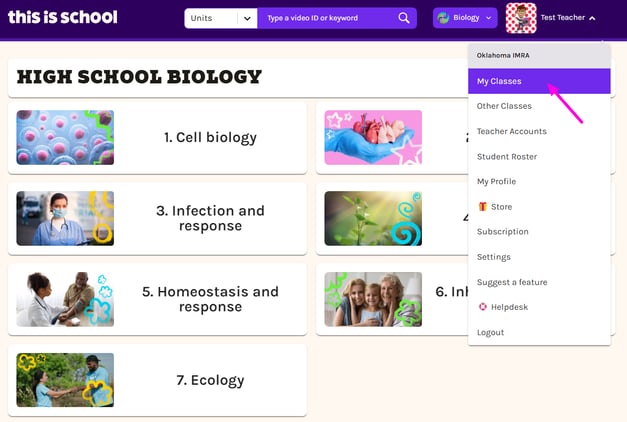
Click on your name in the top right-hand corner and then on My Classes to be taken to your class dashboard, where you can check in on the progress your students are making.
Click here to find out how to review results for assigned work
Click here to find out how to monitor an individual student's progress
There's so much more we could show you! But if you work through the five steps above, you'll see how This is School can help teachers:
- Enrich lessons with engaging, high-quality, multimedia resources
- Build student skills with interactive, inquiry-led activities
- Check on progress with pre-built formative and summative assessments
- Keep everyone on track towards their targets with achievement-tracking tools
- Save lots of time on creating and grading activities
- Empower students to take control of their learning with instant feedback
- Pique student curiosity and encourage scientific thinking!
Questions? If you need any additional support while you're reviewing This is School, please don't hesitate to contact us on info@thisisschool.com. It will be our pleasure to assist you!