
To assign a written assessment using a prompt from our library:
- Click the Assessment button on any lesson page.
- Next, select the question/prompt you'd like your students to answer. Simply find the topic on the left-hand side of the page and click on the relevant tag. You’ll then see a list of questions to choose from - click Assign.
Alternatively, click Custom prompts and then +New Question, and type in a custom question!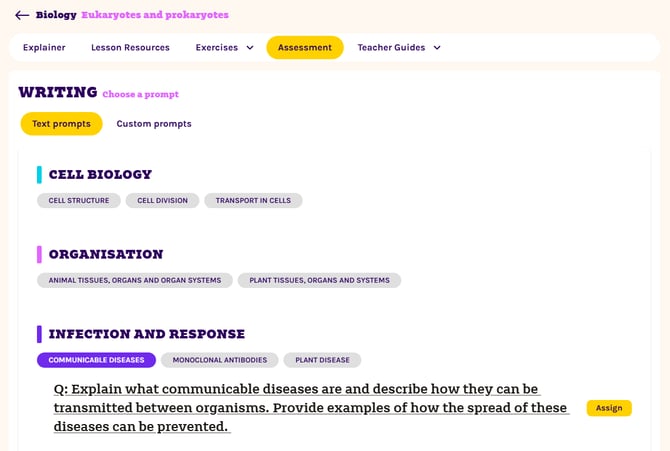
- Click on the yellow Assign button.
- In the pop-up window, select the class you’d like to assign the task to, the maximum length of each student response, and the due date. Use the Notes box to add any helpful instructions for your students.
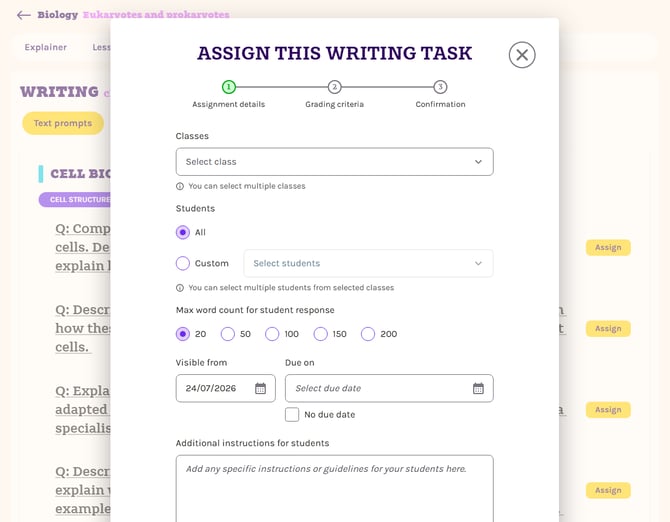
- Click Next. You will now be prompted to select a set of Grading Criteria to grade your students' responses against.
- When you have selected the relevant grading set and made any desired changes, click Assign exercise.
This assessment will now appear in your students' Assignments tab!