
- From your Science homepage, click View Course.
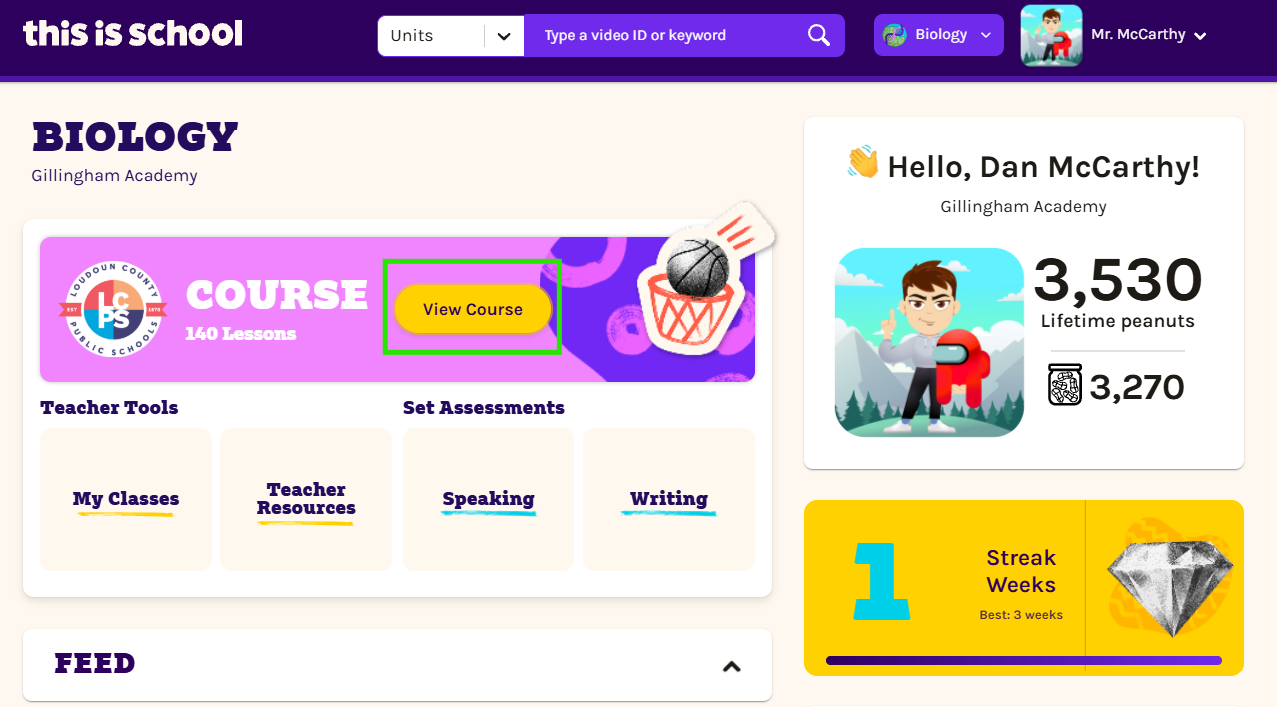
- Select the unit you’d like to explore, click through to the lesson containing the exercises you’d like to assign.
- Open the Exercises menu and select Assign to Class.
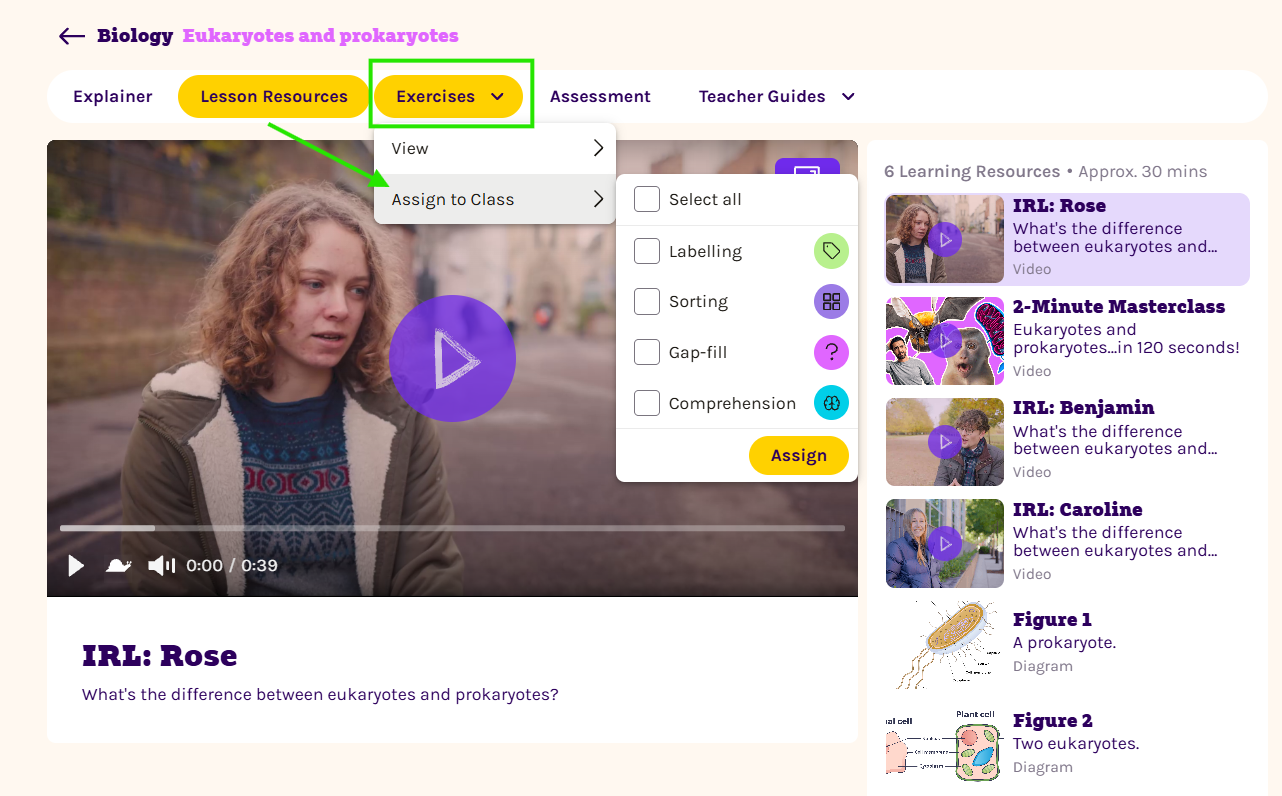
- Tick the exercises you’d like to set, such as Labelling, Matching or Gap-fill. You can choose more than one or use Select all to assign every available exercise. Then click Assign.
- Choose the class or classes that should receive the assignment.
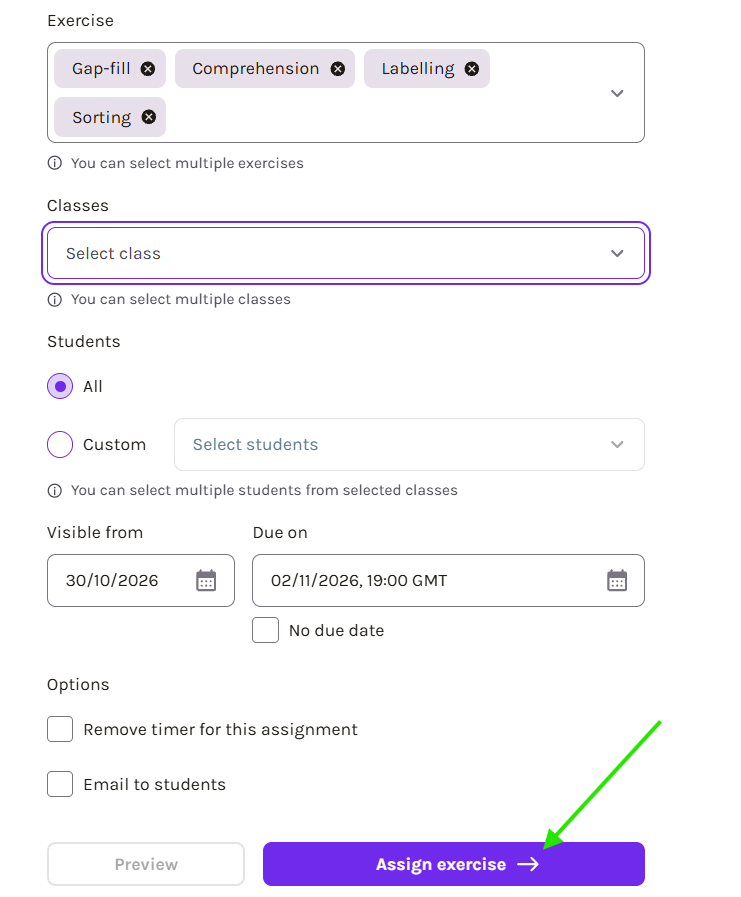
- Select All to assign the exercises to everyone in the chosen classes. To set them for particular students instead, select Custom and choose their names from the list.
- Set the date the assignment should become visible and choose a due date. Alternatively, tick No due date.
- If needed, you can remove the assignment timer or email the students to let them know about their new work.
- When you’re happy with your choices, click Assign exercise and collect your peanuts. You’re all set!
You might also be interested in these guides: