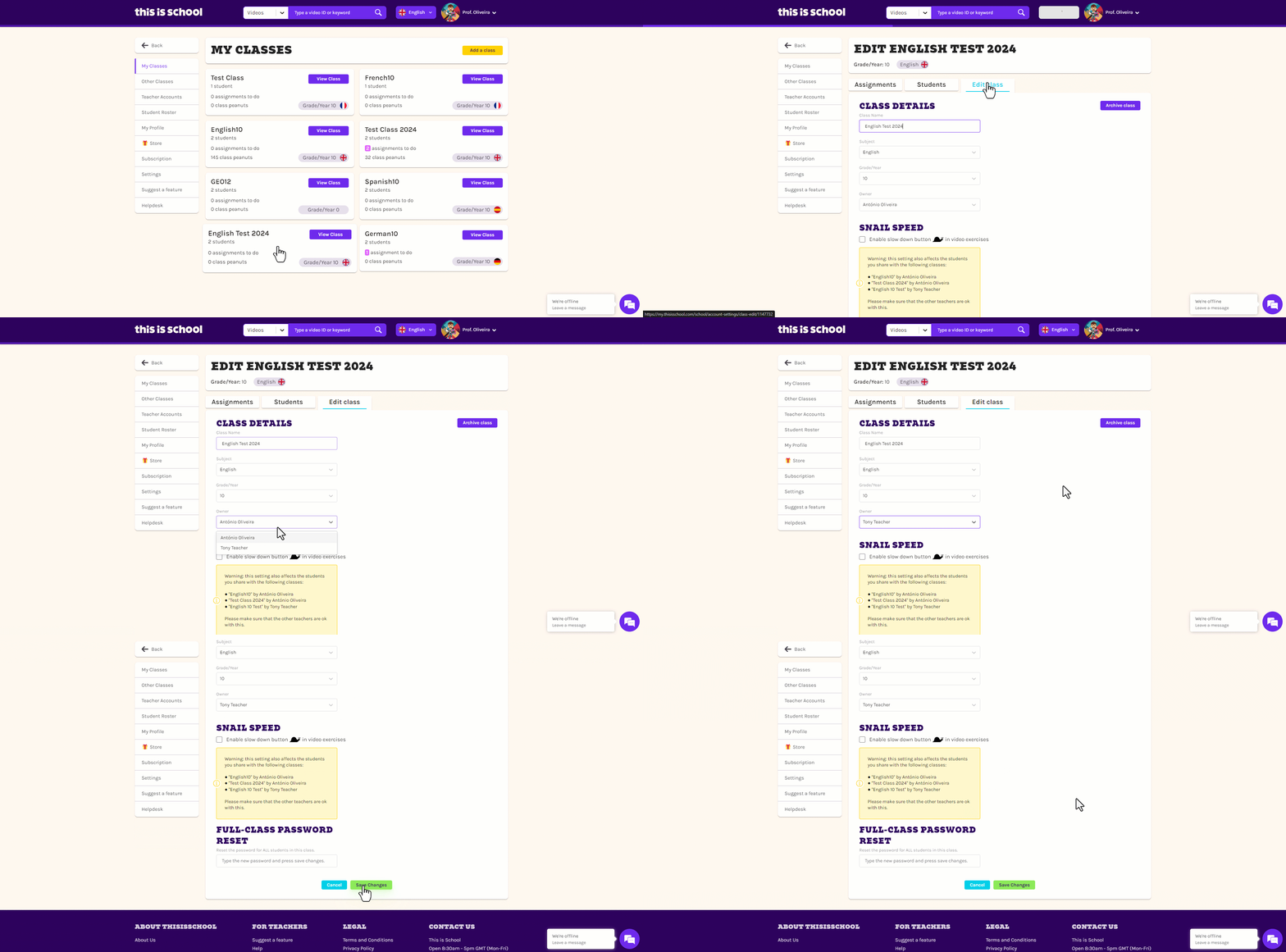
Only the Primary Account Holder and the current class owner can alter who owns the class.
-
 Log in to your my.thisisschool.com account.
 -
Click on your name in the top right-hand corner and select My Classes.
-
Scroll down to the relevant teacher's classes and select the class in question.
-
Click on the Edit Class tab, choose the correct teacher from the Owner drop-down menu and click Save Changes.