

-
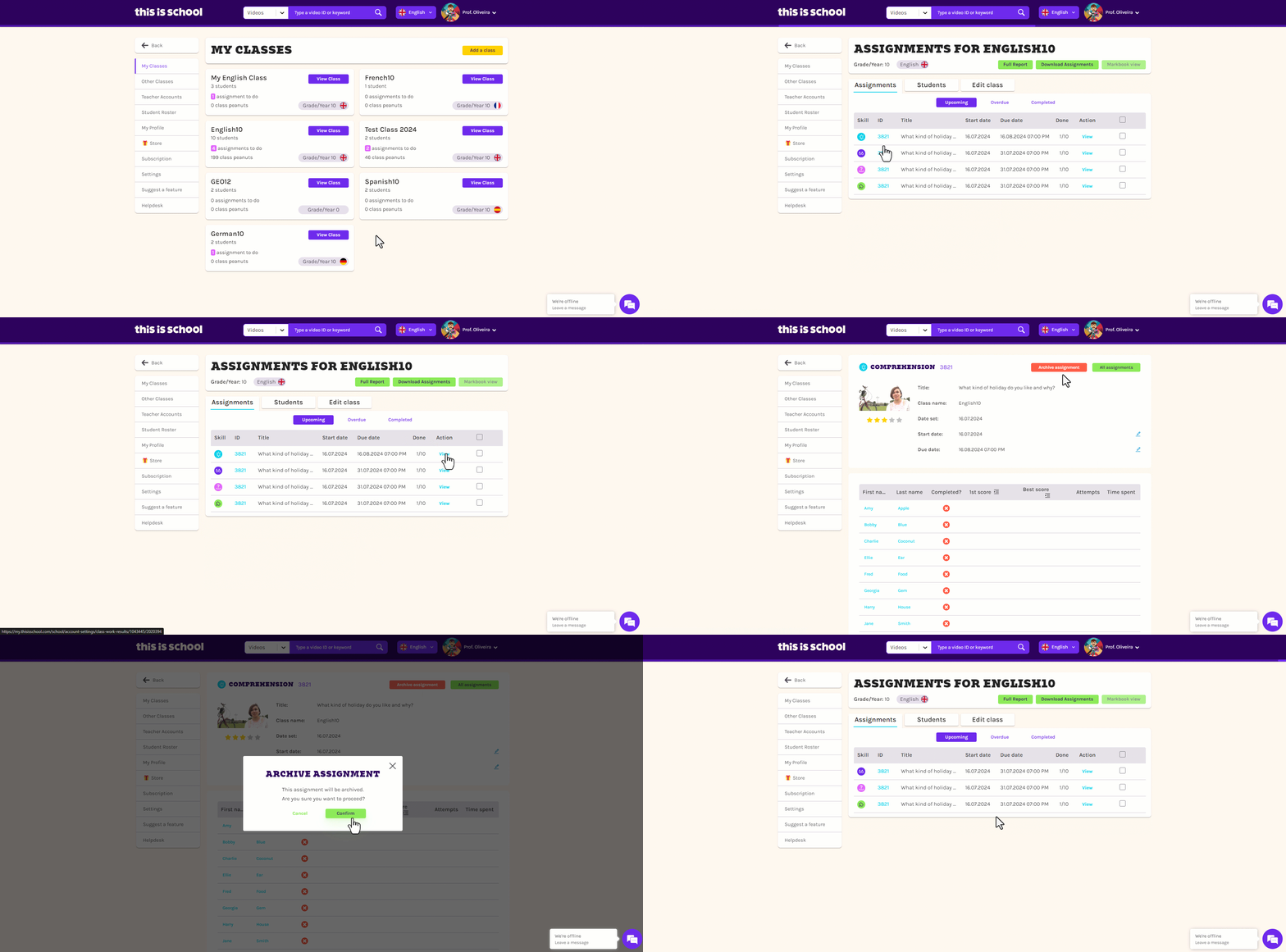
Log in to my.thisisschool.com and click on the pink Assignments button on your homepage.
-
Click on the relevant class.
-
Find the exercise in question and click on View.
-
The task's details appear at the top of the page. Click on the red 'Archive assignment' button
-
Click Confirm!
 You can also navigate to your classes by clicking on your name in the top right-hand corner and selecting My Classes.